

User stories help agile teams move from documenting requirements to understanding them.
This guide explains what user stories are, how to write them, how to recognize good stories, and how to use practices such as refinement, story splitting, and story mapping without turning your backlog into a specification document.
Who This Guide Is For
This guide is for anyone who needs to turn product ideas, customer needs, stakeholder requests, or technical work into backlog items a team can discuss, split, refine, and finish.
It will be especially useful if you are a product owner, Scrum Master, agile coach, developer, tester, analyst, designer, product manager, or leader working with a backlog that has become too large, too vague, too detailed, too technical, or too hard to finish in a sprint.
In This Guide
Explore how acceptance criteria clarify expectations, how story mapping organizes product conversations, and how to run story writing workshops.
This guide explains what user stories are, how the user story template works, and why stories are useful only when they support conversation, shared understanding, and better product decisions.
You will also learn how to write stronger stories, add the right amount of detail, split large stories, use story mapping, avoid common story mistakes, and prepare stories before they enter a sprint.
What Is a User Story?
A user story is a short description of desired functionality told from the perspective of someone who wants or needs that functionality.
Most stories are written from the perspective of a user or customer. Some are written from the perspective of a stakeholder, another system, or someone else who benefits from the work. What matters is that the story points toward a meaningful outcome, not just an internal task.
A common template is:
As a [type of user], I [need/want/am required] to [do something], so that [reason or benefit].
For example:
As a conference attendee, I need to filter sessions by topic so that I can quickly find the sessions most relevant to me.
That sentence is a reminder to have a conversation; the full requirement emerges through the conversation that follows.
The most useful part of a story is the shared understanding created as the product owner, developers, testers, designers, stakeholders, and others discuss what is needed, what matters most, and what must be true when the work is finished.
Why User Stories Work
User stories work because they make requirements collaborative.
Traditional requirements documents often try to capture everything up front. That can create a false sense of certainty. Teams write more detail, but misunderstandings still appear once development starts.
Stories deliberately defer some detail until the team is closer to doing the work. That gives the team room to learn, ask better questions, and avoid documenting things that may change or never be built.
Ron Jeffries described user stories with three words: card, conversation, and confirmation.
The card is the short written description. Today it might be a physical card, a sticky note, or a backlog item in Jira, Azure DevOps, Trello, or another tool.
The conversation is where understanding grows. The team discusses user goals, tradeoffs, edge cases, business rules, design options, and implementation concerns.
The confirmation is how the team knows the story is complete. This might be expressed as acceptance criteria, examples, tests, sketches, rules, or notes that clarify what must be true when the story is done.
A useful story combines all three.
The User Story Template
The user story template helps teams think about three things: who the story is for, what that person needs, and why it matters.
A weak story often leaves one or more of those parts vague:
As a user, I want reports so that I can see information.
That story may be enough to remind someone of a conversation, but it does not give the team much to work with. The user is vague. The goal is vague. The reason is vague.
A stronger version gives the team more to discuss:
As a regional sales manager, I need to compare monthly revenue by territory so that I can identify where coaching or support is needed.
That version does not specify every field, filter, graph, permission, or export option. It does something more useful at this stage: it gives the team a user, a goal, and a decision the user is trying to make.
The template is helpful when it improves the conversation, but it should not become a ritual. Some backlog items read better without it. Some teams use job stories. Some technical work is clearer as a technical backlog item. The form matters less than whether the team can have the right conversation about the work.
User Story Examples
Examples make stories easier to understand. They also show why the written sentence is only the starting point.
Conference Website
As a conference attendee, I can save sessions to a personal agenda so that I can plan which sessions to attend.
Possible acceptance criteria:
-
A logged-in attendee can add a session to a personal agenda.
-
A session already on the attendee's agenda is marked as saved.
-
The attendee can remove a saved session.
-
If two saved sessions occur at the same time, the attendee is warned of the conflict.
E-Commerce Site
As a returning customer, I want to reorder items from a previous purchase so that I can quickly buy things I regularly need.
Possible acceptance criteria:
-
A customer can view previous orders.
-
A customer can add all available items from a previous order to the cart.
-
Unavailable items are shown but not added automatically.
-
The customer can adjust quantities before checkout.
Internal Business System
As a payroll specialist, I need to see employees with missing time approvals so that I can resolve payroll issues before processing begins.
Possible acceptance criteria:
-
The list shows employees with at least one unapproved time entry in the current pay period.
-
The list can be filtered by department.
-
Each employee entry links to the relevant time records.
-
Employees with no missing approvals are excluded.
Improving a Weak Story
Weak:
As a product owner, I need a dashboard so that I can see metrics.
Better:
As a product owner, I need to see which recently released features are used least so that I can decide whether to improve, promote, or remove them.
The better version identifies the decision the product owner is trying to make. That gives the team room to discuss whether a dashboard is the best solution or merely one possible solution.
What Makes a Good User Story?
A good user story helps the team make better product decisions and move work toward delivery.
Good stories tend to have four qualities.
A Good Story Has Clear Value
Someone should care whether the story is completed.
That value might be for a user, customer, stakeholder, business, or product. Some stories reduce risk. Some improve compliance. Some support a future capability. But the team should understand why the story matters.
A Good Story Is Small Enough to Finish
A story that cannot be finished in a sprint is usually too large.
Large stories create the illusion of progress. Everyone is busy, but by the end of the sprint the work is still almost done. The backend is finished, but the UI is not. The happy path works, but important rules are missing. The feature exists, but no one is comfortable calling it complete.
Good stories are small enough that the team can finish them and get meaningful feedback.
A Good Story Is Testable
The team should be able to tell whether the story is done.
That does not mean every acceptance criterion must be known the moment the story is written. Detail can be added later. But before the story is brought into a sprint, the team should understand what must be true for the item to be considered complete.
A Good Story Leaves Room for Conversation
A story should not over-prescribe the solution too early.
If the story dictates every screen, field, database table, exception, and design choice before the team discusses the work, the team may lose the benefit of collaboration. A good story gives the team enough direction to talk productively while leaving room for better design and implementation decisions.
Adding Detail to User Stories
A story should have enough detail for the team's current decision.
Early in discovery or planning, a story can be deliberately vague. At that point, the team may only need to remember that a capability exists and may matter later.
As the story moves closer to implementation, more detail is added. The product owner may clarify business rules. Developers may identify technical risks. Testers may suggest important examples. Designers may sketch options. Stakeholders may clarify edge cases.
The right amount of detail depends on where the story is in the backlog.
Stories near the top of the backlog need more clarity because the team may work on them soon. Stories lower in the backlog can stay larger and less detailed because priorities, users, and solutions may change.
A useful test is:
Does the team understand this story well enough to believe it can be completed in a sprint?
If yes, the story probably has enough detail for now.
If no, add detail through product backlog refinement, conversation, examples, acceptance criteria, or story splitting.
Story Splitting, Refinement, and Mapping
Three practices help teams keep stories useful as work becomes more concrete.
Product backlog refinement helps the team add the right amount of understanding at the right time. It is where vague ideas become clearer stories, large stories are split, risks surface, and acceptance criteria emerge.
Story splitting helps the team break large stories into smaller stories that still represent meaningful progress. The goal is not to create more backlog items. The goal is to help the team finish work and get feedback.
Story mapping helps teams see how stories fit together across a user journey, workflow, product area, or significant objective. A story map can reveal missing steps, alternatives, assumptions, and release options that are hard to see in a flat backlog.
These practices work together. Story mapping helps teams see the larger picture. Refinement helps teams decide what is clear enough and valuable enough to do soon. Story splitting helps teams turn large ideas into work that can be finished.
Common User Story Mistakes
Most user story problems are not caused by the template. They are caused by using stories for the wrong purpose or at the wrong level of detail.
Treating the Written Story as the Requirement
The written story is a reminder. The real requirement emerges through conversation, examples, rules, sketches, tests, and decisions. For more detail, see Writing User Stories and Advantages of User Stories over Requirements.
Writing Stories That Are Too Large
Large stories hide complexity and make progress hard to see. For more detail, see Story Splitting and Working with Complex User Stories.
Splitting Stories Into Tasks
Tasks organize work. Stories describe useful outcomes. For more detail, see Not Everything Needs to Be a User Story and The Difference Between a Story and a Task.
Writing Every Story from the Product Owner's Perspective
The product owner is important, but is often not the user. For more detail, see Writing User Stories and Decorated User Roles.
Adding Too Much Detail Too Soon
Detail is useful when it supports a near-term decision. For more detail, see Adding Detail to User Stories and How Detailed Should a User Story Be?.
Using the Template Without Thinking
The user story template is a thinking tool, not a guarantee. For more detail, see Good User Stories and Job Stories.
Before Bringing a Story Into a Sprint
A user story does not need every detail before it enters the backlog. But before a team brings a story into a sprint, these questions should have reasonably clear answers:
-
Who benefits from this story?
-
What outcome, capability, decision, or behavior does the story support?
-
Why does that outcome matter now?
-
Is the story small enough to finish in a sprint?
-
Has the team avoided splitting the story only by technical layer?
-
Does the story leave room for conversation and better design choices?
-
Does the team understand what must be true for this item to be considered complete?
Use those questions to find the next conversation the team needs to have.
FAQ
Do user stories have to use the template?
No. The template is useful because it encourages teams to think about who the story is for, what that person needs, and why it matters. Use it when it improves the conversation. Do not force it when another format is clearer.
Who writes user stories?
Anyone can write a story.
The product owner is accountable for the product backlog, but that does not mean the product owner should personally write every item. Developers, testers, designers, analysts, Scrum Masters, stakeholders, customers, and users can all contribute.
What matters most is not who typed the first sentence. What matters is who participates in the conversation.
Are user stories the same as requirements?
A user story represents a requirement, but the written sentence is rarely the whole requirement.
The requirement emerges through conversation, examples, rules, sketches, tests, and decisions.
What is the difference between a user story and a task?
A story describes a useful outcome from the perspective of someone who benefits from the work. A task describes work the team performs to deliver that outcome.
For example, "As a customer, I can save a payment method so that checkout is faster next time" is a story. "Create payment-token database table" is probably a task.
What is an epic?
An epic is a large story.
Epics are useful when the team wants to remember an important capability before knowing all the details. As the epic gets closer to development, it should be split into smaller stories the team can finish.
Are technical stories really user stories?
Sometimes technical work can be described from a meaningful user, business, product, risk, or operational perspective. Other times it is better treated as a technical backlog item, spike, chore, or task.
Do not force everything into user story form. Use the form that helps the team have the best conversation about the item.
What is acceptance criteria?
Acceptance criteria are details that help the team understand whether a story has been completed correctly.
They may take the form of examples, rules, tests, or brief notes. The wording matters less than the shared understanding they create: the team knows what must be true for the story to be considered complete.
How detailed should a user story be?
Detailed enough for the next decision.
A story far down the backlog may be intentionally vague. A story near the top needs enough clarity that the team can reasonably believe it will fit in a sprint. Product backlog refinement is where teams usually add that clarity.
When should a team use story mapping?
Use story mapping when the team needs a shared picture of a product, workflow, user journey, or significant new capability.
Story mapping is most helpful when there are many related stories and the team needs to understand sequence, alternatives, priorities, and release options.
Writing the Product Backlog Just in Time and Just Enough
FeaturedKeep backlog detail just enough and just in time.

Mastering User Stories
FeaturedA one-day course where your team improves real backlog items while learning how to write, split, and refine better stories.

Story Writing Workshop
FeaturedImprove real backlog items in a facilitated workshop so teams can practice user stories with work they actually need to deliver.
AI Can Write User Stories. But Should You Build Them?
See why polished AI-generated stories can still describe the wrong product—and how teams keep product judgment in the loop.
AI Can Write Backlog Items. It Can’t Create Shared Understanding
AI can generate polished user stories and acceptance criteria in seconds. Learn how to use it without skipping product judgment, user evidence, or team conversations.

How to Use AI for Product Discovery and Writing Better User Stories
Use AI to support product discovery, user interviews, and writing better user stories.
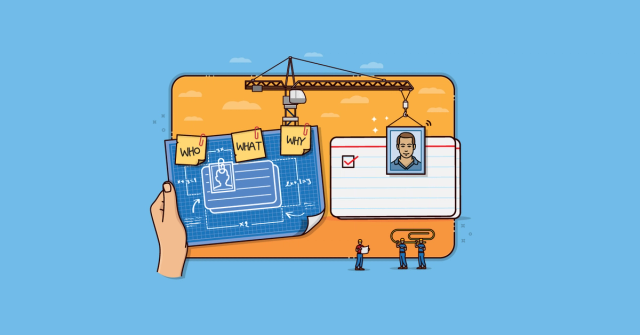
User Story Template: What It Is and Why It Works So Well
Understand why the three-part user story template works and where it falls short.

Advantages of User Stories over Requirements and Use Cases
Compare user stories with requirements and use cases to see where stories help agile teams.
User Stories
Learn how to write, refine, split, and map user stories that help agile teams understand customer needs and deliver valuable outcomes.
How the Story Critic AI Skill Helps Teams Write Better Backlog Items
See how AI coaching can help teams write clearer, smaller, more testable backlog items.
How Detailed Should a User Story Be?
Capturing too much or too little detail in a user story causes problems. Here's how to get it right, iteratively.
Product Backlog Refinement
Learn about product backlog refinement: how, when, and why the agile team and product owner refine the product backlog in Scrum.
The Sprint Goal: What It Is and How It Can Help
Sprint goals are something every Scrum team should try to create. Learn what sprint goals are and what a good sprint goal looks like.
The Two Ways to Add Detail to User Stories
User stories can be deliberately vague at first but detail needs to be added eventually. There are two ways to do that.
What Are Agile Story Points?
Understand what story points measure and why they are often misunderstood.
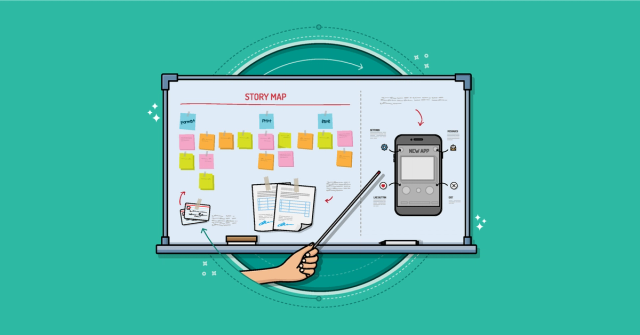
User Stories: How to Create Story Maps
Story maps help to create a shared understanding of the product, visualize user needs, and elicit user story ideas. Discover how to create your own.

Story Critic
Story Critic is a free AI coach for improving backlog items without turning them into miniature specifications. It helps developers, testers, analysts, designers, and product owners make user stories, job stories,…
Short Answers to Your Big Questions about User Stories
Get quick answers to common questions about user stories and acceptance criteria.
What Product Owners Do & 7 Mistakes to Avoid
Use seven common product owner mistakes to spot where ownership, prioritization, or collaboration may be breaking down.
Job Stories Offer a Viable Alternative to User Stories
As useful as user stories can be, they’ve never been right for every team. An exciting alternative for some teams is the job story.
How to Engage & Help Busy Product Owners
With many competing pulls on their time, product owners can be hard to catch during a sprint. Learn how to help harried product owners seize opportunities to inspect and adapt outside the sprint review.
Two Examples of Splitting Epics
See real examples of splitting large stories into smaller ones.
Rethink the Refinement Session: Less Time, Better Outcomes
Learn how to make your backlog refinement faster, sharper, and more effective.
Five Story-Splitting Mistakes and How to Stop Making Them
There are plenty of mistakes a team can make when splitting user stories. Here are five of the most common.
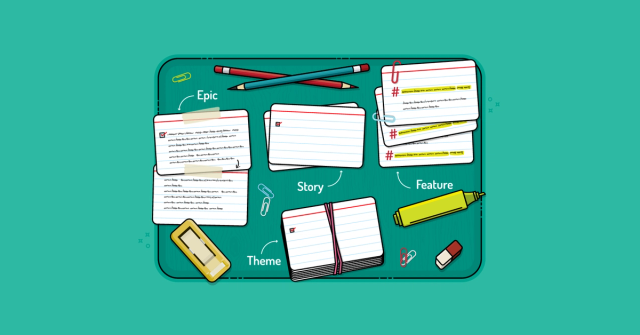
Epics, Features and User Stories
Clarify the difference between epics, features, and user stories without getting stuck on labels.
Be a Great Product Owner: Six Things Teams and Scrum Masters Need
See what teams and Scrum Masters need most from a product owner to make delivery smoother.
4 Reasons to Include Developers in Story Writing
See why developers should help write user stories before work reaches the sprint.
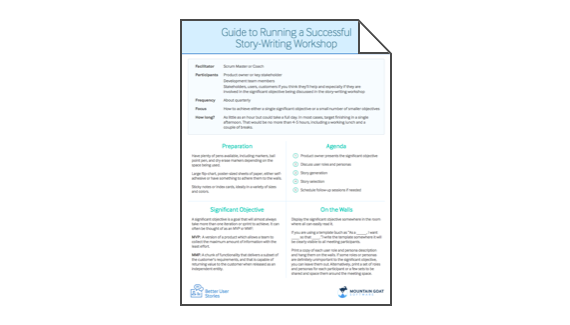
Story-Writing Workshop Guide
Plan and facilitate a collaborative story-writing workshop that involves developers and produces stronger backlog items. A story-writing workshop is one of the best ways to involve developers in story writing.

Four Reasons Agile Teams Estimate Product Backlog Items
Estimating product backlog items provides benefits beyond predicting when a project will be finished.

Backlog Story Improvement
Improve backlog quality, story splitting, refinement, and the flow of work from idea to delivery.

Backlog Refinement Workshop
Improve refinement using real backlog items so planning is clearer and faster.