

User stories are useful, but forcing every backlog item into story form can make the backlog worse.
The purpose of a backlog item is to help the team understand, discuss, order, and deliver work. Sometimes a user story is the best form. Sometimes another form is clearer.
Use the Form That Helps the Team Think
The user story template helps teams think about who benefits, what they need, and why it matters.
That is valuable for many product capabilities. It is less valuable when the work is a bug, spike, technical improvement, compliance constraint, operational task, or requirement that does not have a meaningful user role.
The team should not ask, "How do we force this into the template?" A better question is, "What form will help us understand and deliver this work?"
Technical Work
Technical work does not need to be disguised as a user story.
Sometimes the clearest backlog item is simply the technical work that needs to be done:
Upgrade the payment library to a supported version before the current version reaches end of life.
That is a perfectly reasonable backlog item. It has value because it reduces risk, keeps the product supportable, and may prevent future security, compatibility, or maintenance problems.
The team still needs to understand why the work matters, how urgent it is, how large it is, and what must be true when the work is complete. But none of that requires rewriting the item as an awkward story.
Other technical items might be equally direct:
- Replace an unsupported database driver.
- Improve logging for failed payment transactions.
- Remove a deprecated API before the vendor shuts it down.
- Add automated checks for a fragile deployment step.
These are not failures of story writing. They are examples of using the right form for the work.
Bugs
Bugs often belong in the product backlog, but they do not need to become awkward user stories.
A bug report should make the problem understandable. It may include expected behavior, actual behavior, reproduction steps, affected users, severity, and evidence.
If the bug represents a missing capability, a user story may be appropriate. If it is a defect in existing behavior, a bug format is usually clearer.
The key is not the label. The key is whether the team can understand the problem, decide priority, fix it, and verify the result.
Non-Functional Requirements
Non-functional requirements describe qualities such as performance, security, reliability, usability, availability, scalability, or compliance.
These are usually best expressed as part of the team's Definition of Done. If the requirement applies broadly, do not bury it inside one story where the team may forget it on the next one.
Sometimes a team needs a user story or backlog item to bring the product into compliance with a new non-functional requirement. After that work is done, the expectation should become part of how the team works going forward.
For example, suppose the product needs to support an additional language. The team may need one or more stories to add the first version of that language support. Once the product can support that language, ongoing language support may become part of the Definition of Done for future relevant work.
The same can happen with performance, accessibility, security, logging, browser support, or other quality expectations. A backlog item may be needed to establish the capability. The Definition of Done helps make sure the team continues to preserve it.
Do not hide important quality expectations. Put them where the team will see and use them repeatedly.
Job Stories
Job stories are most useful when the job-to-be-done matters more than who is doing it. They also work well when the story is initiated by a trigger or event.
For example:
When I am comparing several products, I want to save them in one place so I can decide later without starting over.
In that story, the important part is not whether the person is a first-time buyer, returning customer, or procurement specialist. The important part is the situation: they are comparing options and need a way to return to them later.
The common job story format is:
When [situation or trigger], I want to [motivation], so I can [expected outcome].
Job stories can help teams focus on context, triggers, motivations, and outcomes. They are especially useful when many user types can have the same need, or when an event causes the need to arise.
They are still stories, so they need clear thinking. A vague job story is no better than a vague user story.
Features, Epics, and Larger Items
Teams often use words such as feature, epic, theme, capability, and initiative.
The exact definitions vary by organization. Be clear within your team.
A practical approach is to treat an epic as a large story that will need to be split before it can fit in a sprint. A feature or theme may be a larger product capability made up of multiple stories.
Try to avoid overly complicated taxonomies.
Spikes
A spike is a timeboxed investigation used to answer a question or reduce uncertainty.
Use a spike when the team cannot responsibly split, estimate, or design the work because something important is unknown.
A good spike has a clear question and an expected output. It might produce a recommendation, prototype, technical finding, split suggestion, or risk assessment.
Do not use spikes as a way to hide normal development work.
Tasks Belong Under Backlog Items
Tasks are useful, but they usually should not be product backlog items.
A task describes work the team performs to deliver a backlog item. For example, after selecting a story for a sprint, the team might identify tasks such as:
- Create payment-token database table.
- Add automated regression test for expired coupon.
- Update API endpoint documentation.
Those tasks can help the team plan and coordinate during a sprint. But they are usually too implementation-focused to belong in the product backlog.
The product backlog should contain items the product owner can order based on value, risk, learning, or need. Tasks are usually a team-level breakdown of how the selected work will get done.
How to Choose the Right Form
Choose the form that will lead to the best conversation about the item.
If a user story helps the team discuss the work clearly, use a story. If another format leads to a better conversation, use that.
FAQ
Are technical stories really user stories?
Sometimes. If technical work has a meaningful beneficiary and outcome, story language may help. If the template makes the item less clear, use a technical backlog item.
Should bugs be estimated?
Teams handle this differently. Estimate bugs when the estimate helps with planning or ordering. Do not estimate simply because every backlog item is expected to have a number.
Are job stories better than user stories?
They are better for some situations. User stories emphasize role, need, and benefit. Job stories emphasize situation, motivation, and outcome. Use the one that helps the team understand the work.
Should tasks be in the product backlog?
Usually no. Tasks normally live under stories or other backlog items as part of the team's sprint planning work. If technical work needs product owner ordering, treat it as a technical backlog item rather than hiding it as a task.
Signs the Team Is Forcing Stories
A team may be forcing every item into user story form when:
- Many stories begin with "As a user" even when the user does not matter.
- The story text describes internal work but pretends to be user-facing.
- Bugs become awkward stories that obscure the actual defect.
- Technical work is rewritten so heavily that the team no longer understands it.
- The template causes debate but does not improve decisions.
When that happens, simplify. Keep the backlog item clear, valuable, and testable. Use story form when it helps and another form when that helps more.

Writing the Product Backlog Just in Time and Just Enough
FeaturedKeep backlog detail just enough and just in time.

Mastering User Stories
FeaturedA one-day course where your team improves real backlog items while learning how to write, split, and refine better stories.
Not Everything Needs to Be a User Story: Using FDD Features
FeaturedKnow when FDD-style features may work better than forcing every item into a user story.
Agile Spikes Deliver Knowledge So Teams Can Deliver Products
Use spikes to reduce uncertainty and learn enough to move product work forward.
User Story Template: What It Is and Why It Works So Well
Understand why the three-part user story template works and where it falls short.
Multiple Levels of Done
Define done at more than one level so expectations stay clear from story to release.
How Detailed Should a User Story Be?
Capturing too much or too little detail in a user story causes problems. Here's how to get it right, iteratively.
How the Story Critic AI Skill Helps Teams Write Better Backlog Items
See how AI coaching can help teams write clearer, smaller, more testable backlog items.
What Happens When During a Sprint
Succeeding with Scrum is easier when you know when and why to conduct each of the Scrum events during the sprint.
How to Use AI for Product Discovery and Writing Better User Stories
Use AI to support product discovery, user interviews, and writing better user stories.
The Difference Between a Story and a Task
Clarify the difference between user stories and tasks.

Four Reasons Agile Teams Estimate Product Backlog Items
Estimating product backlog items provides benefits beyond predicting when a project will be finished.
Should a Team Assign Work During Sprint Planning?
Some teams assign all tasks upfront. Others don’t.
What Does a Product Owner Do, When, and Why?
Clarify what product owners do before work starts, during planning, and throughout each sprint.
Agile Requirements Gathering: Three Types of Requirements
Understand the three kinds of requirements teams need to consider.
Capacity-Driven Sprint Planning
Plan sprints around real team capacity instead of relying only on past velocity.
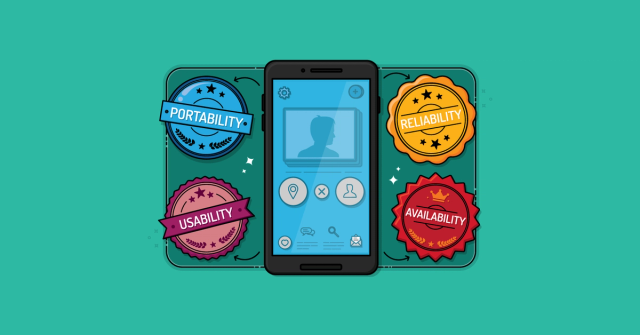
Non-functional Requirements as User Stories
Write non-functional requirements in ways teams can discuss, estimate, and test.

3 Ways to Help Agile Teams Plan Despite Uncertainty
We might not like ambiguity, but it’s a fact of life. Find out how to plan with uncertainty in mind.

Story Critic
Story Critic is a free AI coach for improving backlog items without turning them into miniature specifications. It helps developers, testers, analysts, designers, and product owners make user stories, job stories,…
The Sprint Goal: What It Is and How It Can Help
Sprint goals are something every Scrum team should try to create. Learn what sprint goals are and what a good sprint goal looks like.

Should the Daily Scrum Be Person-by-Person or Story-by-Story?
Choose whether to discuss work person-by-person or story-by-story in daily scrum.

Story Writing Workshop
Improve real backlog items in a facilitated workshop so teams can practice user stories with work they actually need to deliver.

Backlog Story Improvement
Improve backlog quality, story splitting, refinement, and the flow of work from idea to delivery.

Backlog Refinement Workshop
Improve refinement using real backlog items so planning is clearer and faster.